
Steps to Delete a Record - Mobile
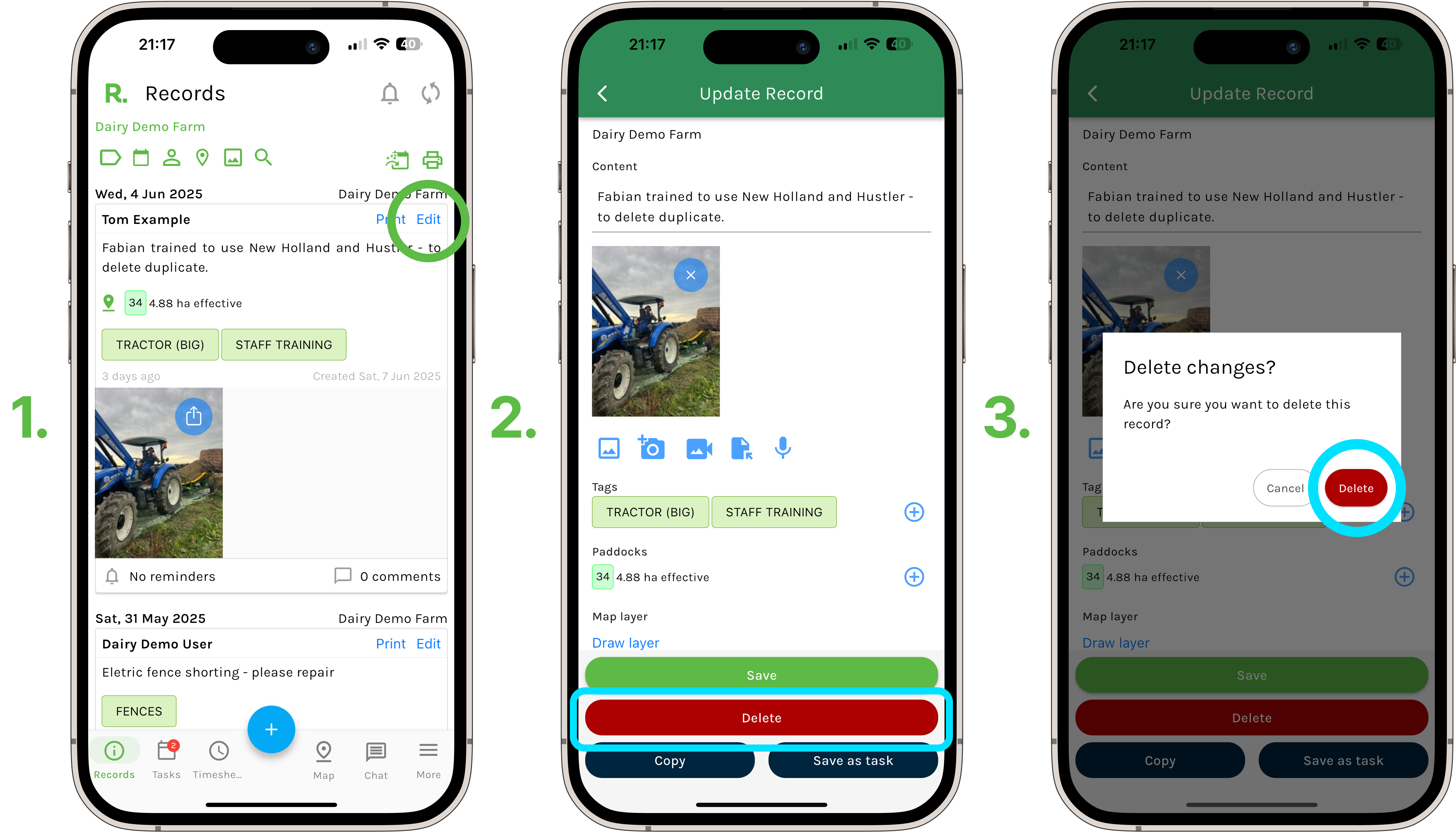
- Navigate to the records timeline.
- Identify the record you wish to delete (using the filters if needed).
- Select ‘Edit’.
- Select ‘Delete’.
- Select ‘Delete’ once more to confirm.
Steps to Delete a Record - Desktop
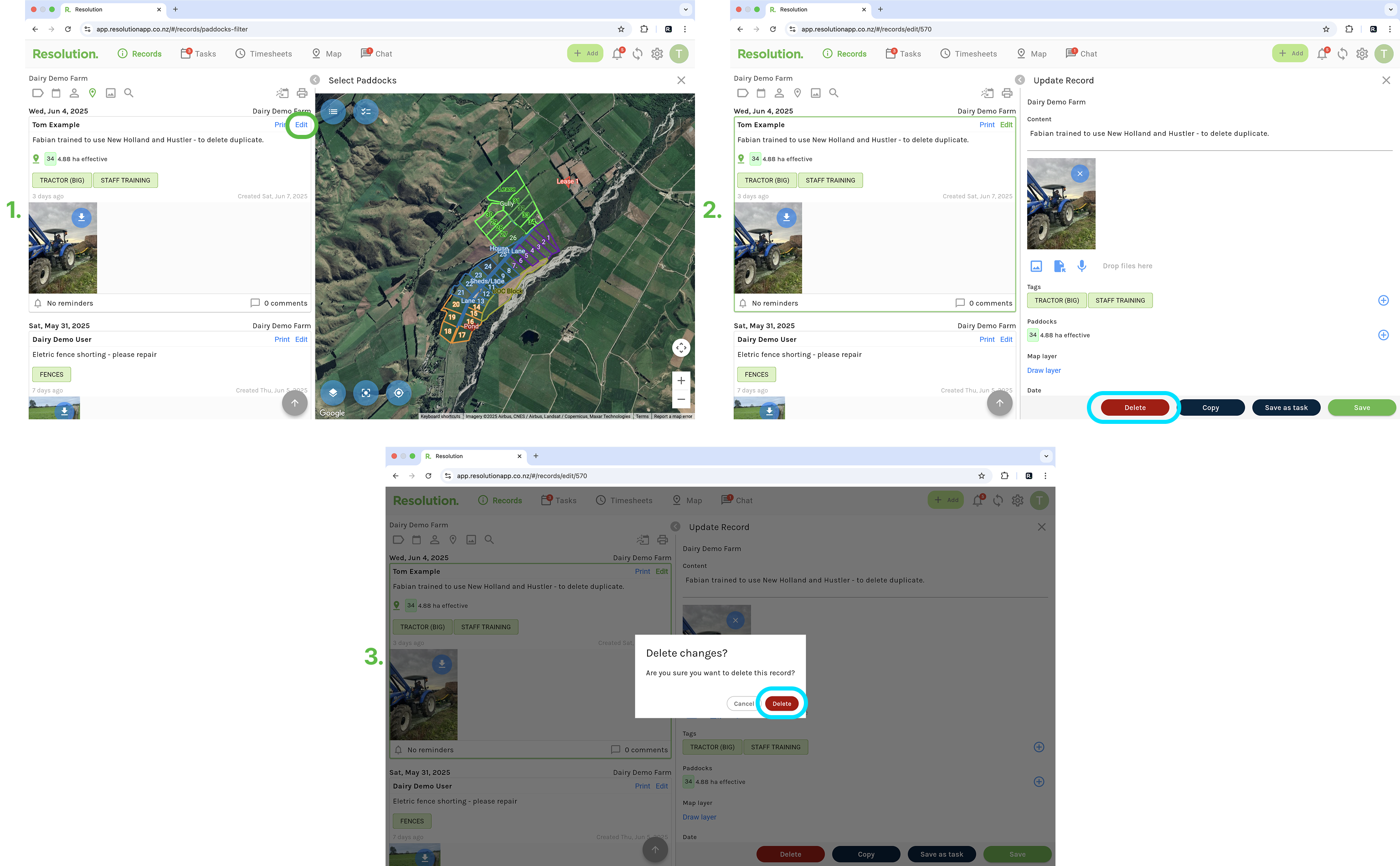
- Navigate to the records timeline.
- Identify the record you wish to delete (using the filters if needed).
- Select ‘Edit’.
- Select ‘Delete’.
- Select ‘Delete’ once more to confirm.
Best Practices
- We recommend that you double check before deleting any information from Resolution.
- If you are unsure about the record, and whether you want to delete the information. Consider creating a tag category named ‘Z Archived’ and place this in a tag category named ‘Z Archived’ (explained here in Deleting Tags). This way the record will be out of the way.