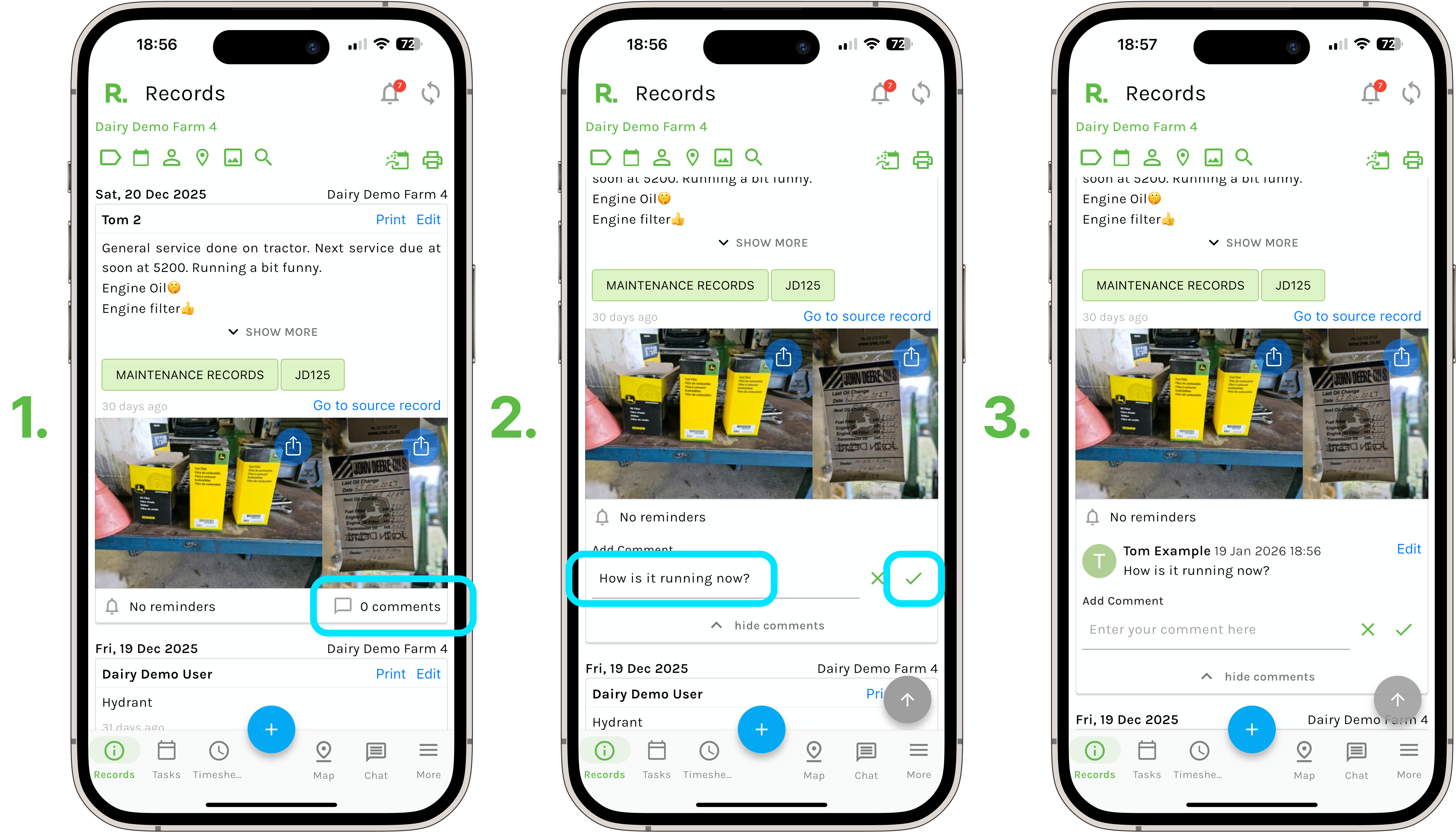
Steps to Add a Comment to a Record
- Identify the record you wish to add a comment on (using the filters if needed).
- Select the mail icon / comments text.
- Add your comment.
- Select the green tick / save.
Comment Notifications
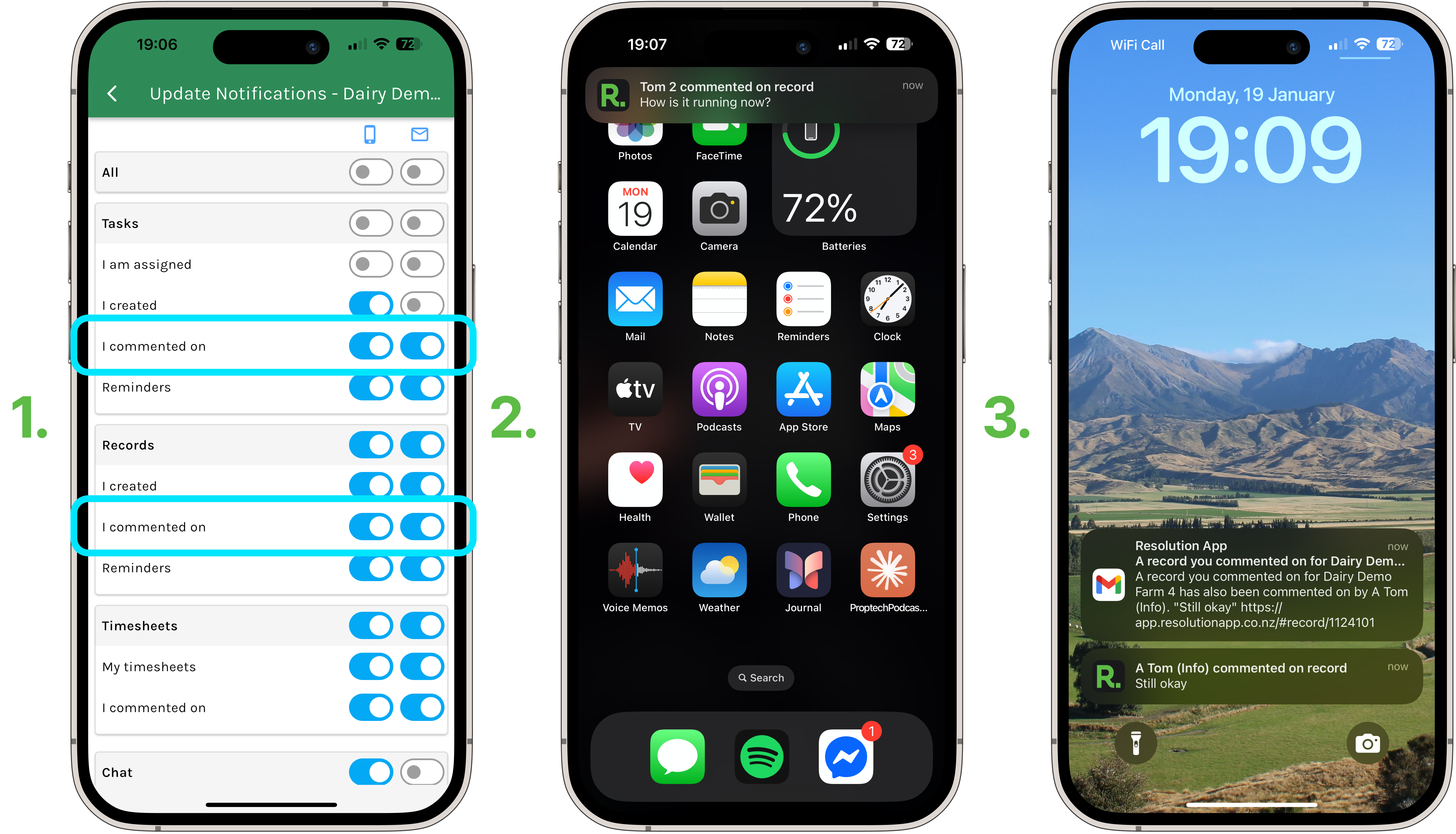
NOTE: It is important that users have notifications toggled on for comments on records & tasks.
- Go to your account settings
- Go to notifications
- Toggle on either the in app and/or email notifications for comments on records and tasks.
- The user who created the record/ task will receive a notification that a comment has been added to the record/task.
- The users who have previously commented on the record/ task will receive notifications moving forward when other users also comment on that specific record/ task.