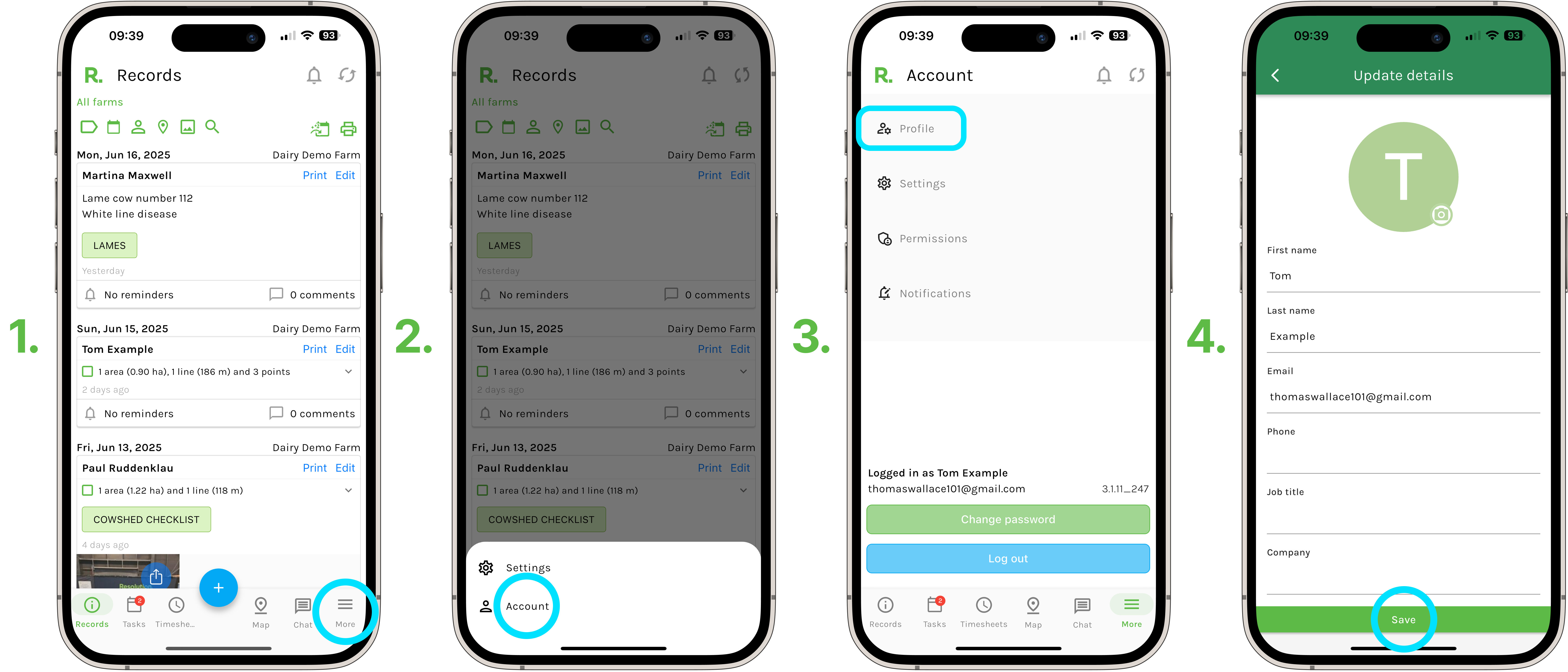
Steps to Change Account Details - Mobile
- Select ‘More’ in the bottom right hand corner of your screen.
- Select ‘Account’.
- Select ‘Profile’.
- Here you can change your profile picture, name, email, phone , job title and company.
- Select ‘Save’.
NOTE - If you change your email address here, you may be asked to log back into Resolution with this updated email address and your current password.
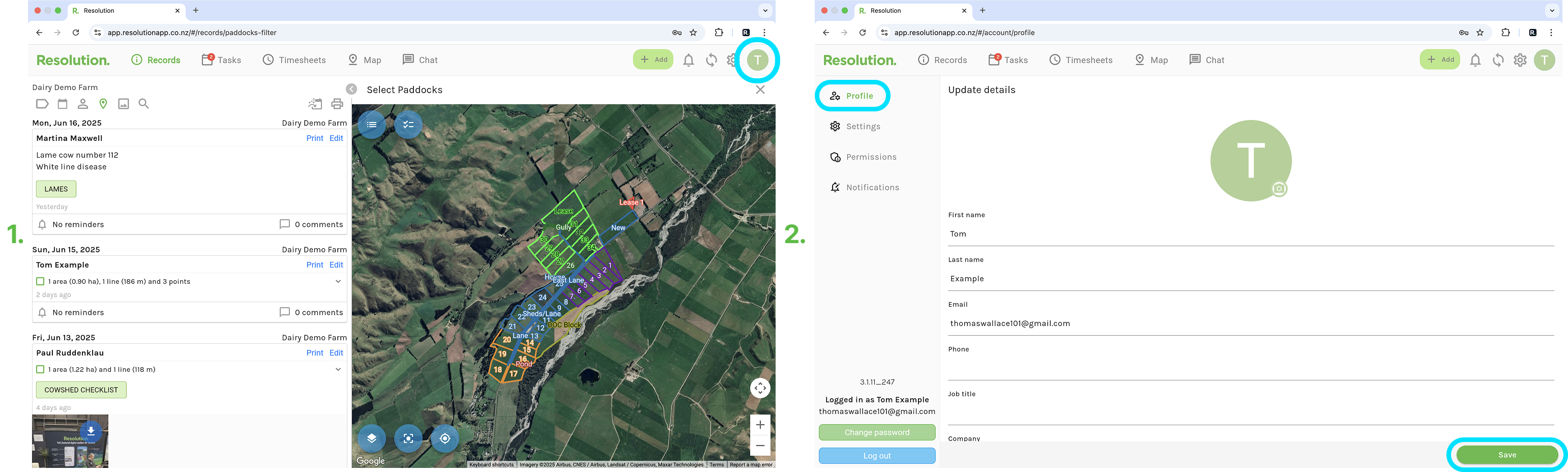
Steps to Change Account Details - Desktop
- Select ‘Account’ in the top right hand corner of your screen.
- Ensure ‘Profile’ is selected.
- Here you can change your profile picture, name, email, phone , job title and company.
- Select ‘Save’.
NOTE - If you change your email address here, you may be asked to log back into Resolution with this updated email address and your current password.
Note - If there are any other changes that you need to make to your account, for example - account owner, change of billing details, etc., please contact us through our Support Form and one of our team will be in contact with you soon.