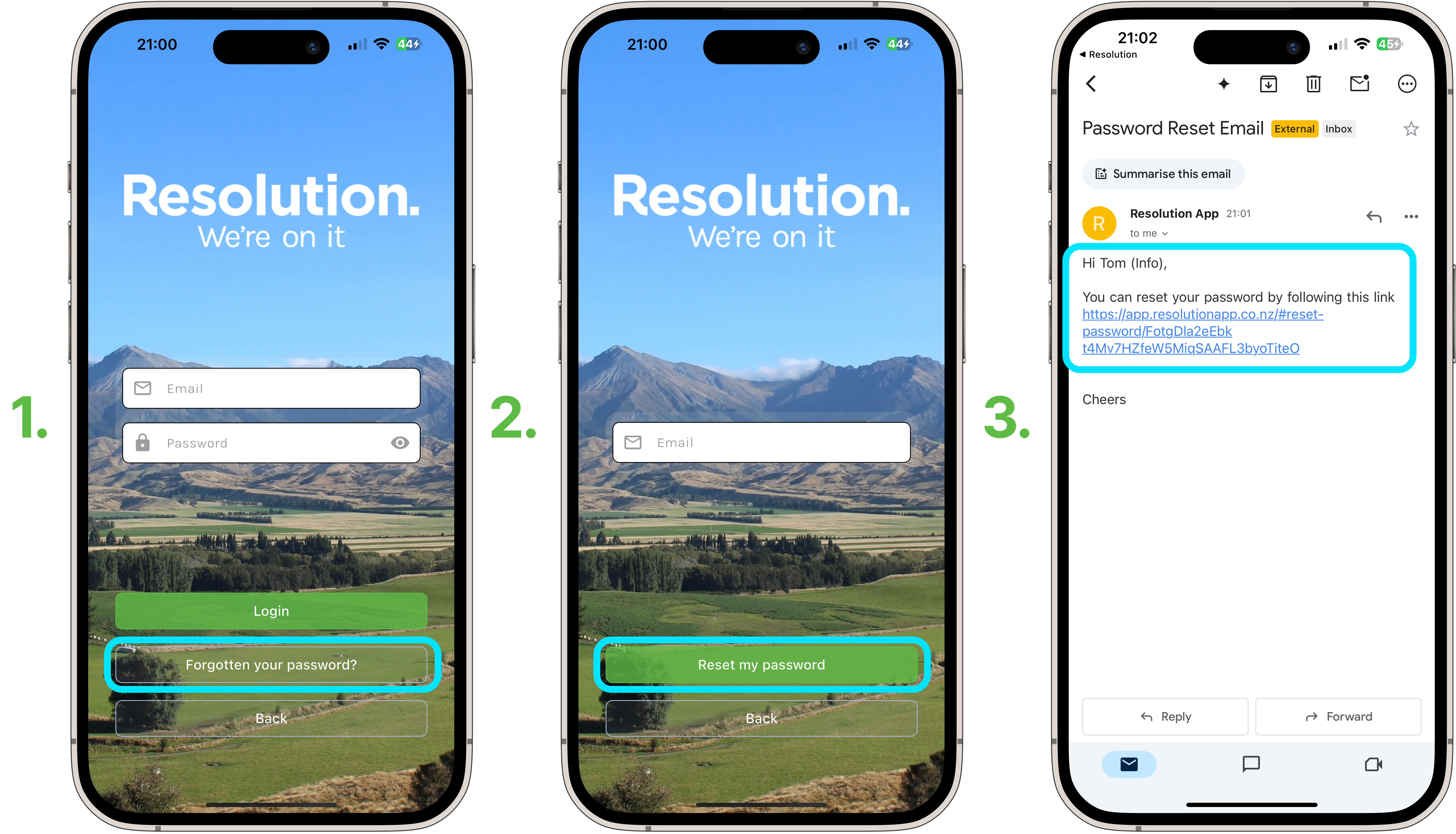
Steps to Reset Password - Mobile
- Select ‘Forgotten your password?’.
- Enter your email associated with the account.
- Select ‘Reset my password’.
- Select the link sent to your email and follow the instructions.
NOTE: New password must be at least 6 characters long.
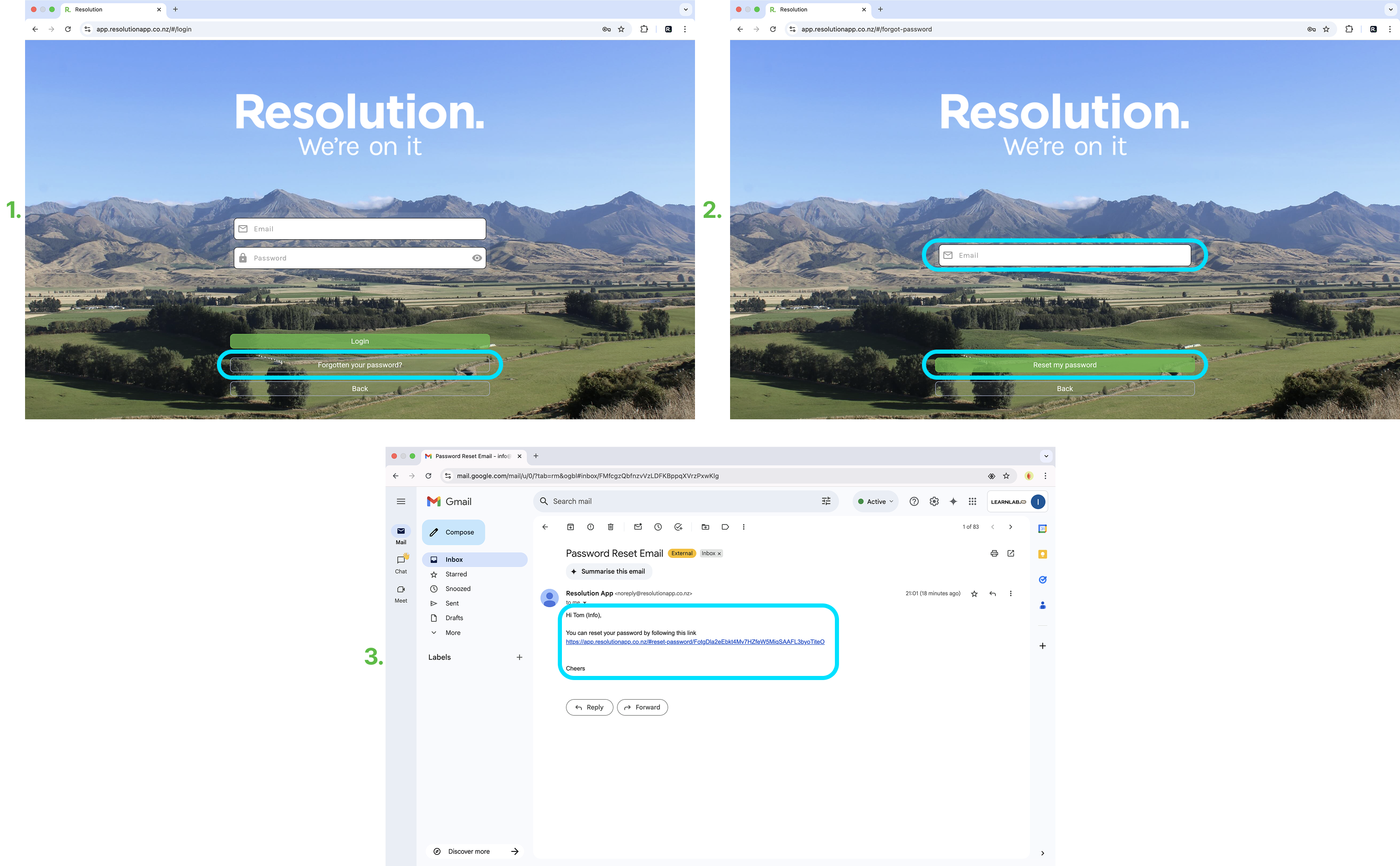
Steps to Reset Password - Desktop
- Select ‘Forgotten your password?’.
- Enter your email associated with the account.
- Select ‘Reset my password’.
- Select the link sent to your email and follow the instructions.
NOTE: New password must be at least 6 characters long.