NOTE - The permission levels required and how to access map editor instructions are in the previous lessons or click here - How to Access Map Editor, Understanding Map Versions & Naming Map Version
Steps to Change a Paddock Name
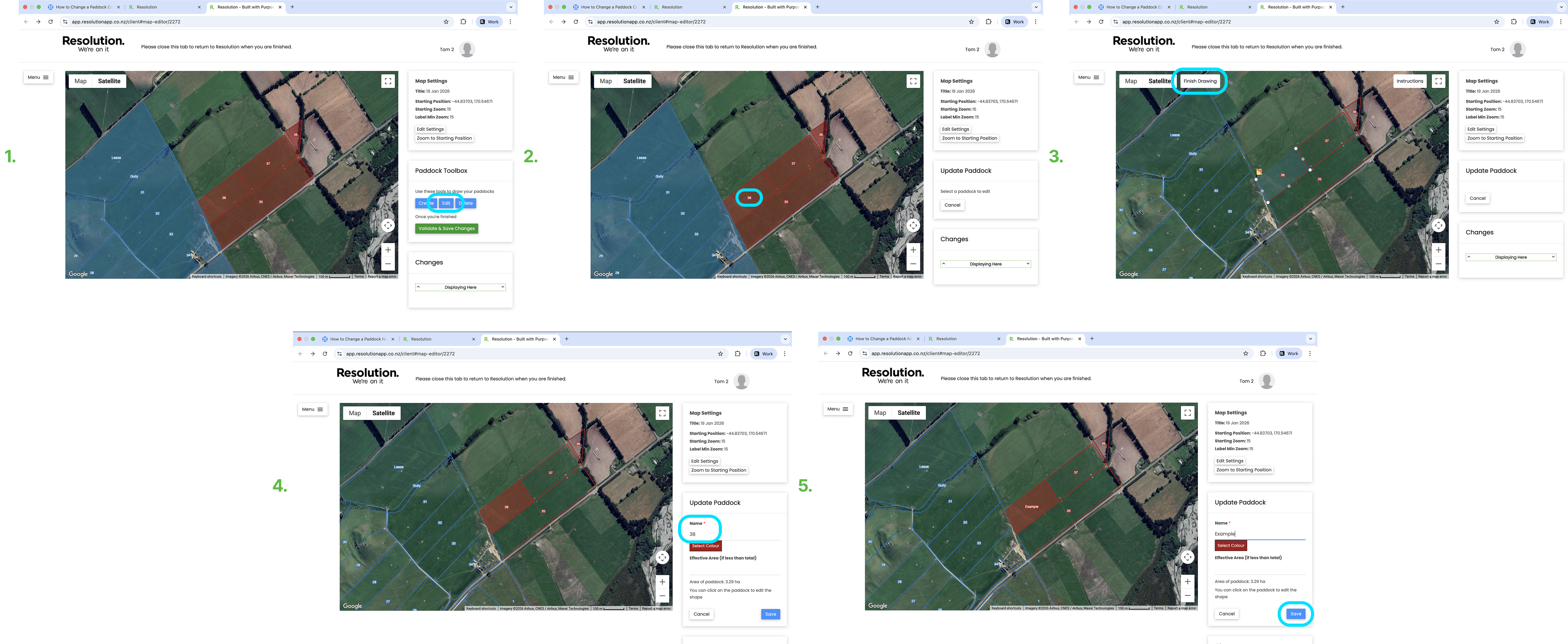
- From the Paddock Toolbox window on the right of the screen - Select ‘Edit’
- Click the paddock you wish to change the name of.
- Select ‘Finish Drawing’.
- In the 'Name' tab on the right hand side of the screen, type in the new paddock name.
- Select ‘Save’.
Validate And Save Changes
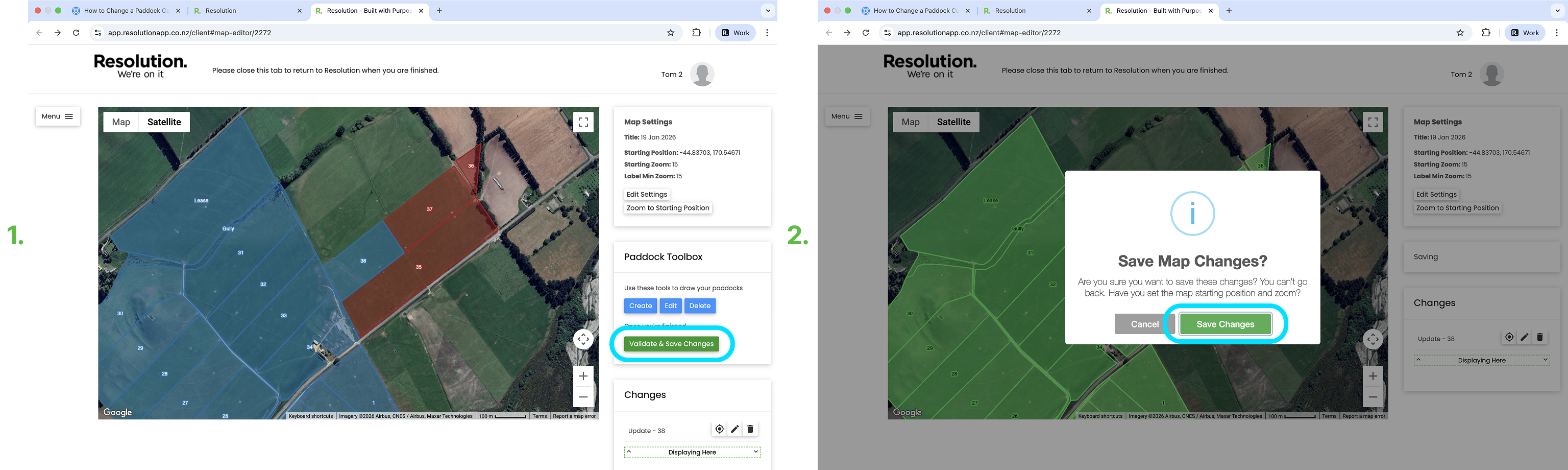
- After editing your paddock, you need to validate and save your changes.
- Pro Tip: We recommend only validating and saving your changes at the end, after all your changes have been made.
- To do so, select ‘Validate & Save Changes’.
- Select ‘Save Changes’ to confirm.
- Users will then need to sync the app for these changes to be visible.