
Steps to Add a New User - Mobile
- Select ‘More’ in the bottom right hand corner of your screen.
- Select ‘Settings’.
- Navigate to the Users section.
- In the top right hand corner, select Invite User icon.
- Enter their first and last name.
- Ensure you have the correct email address for the user, as Resolution will send them an email with joining instructions.
- Select the user permissions - click here to view this article.
- Click ‘Invite’.
-1.png)
Steps to Add a New User - Desktop
- Select ‘Settings’.
- Navigate to the Users section.
- In the top right hand corner, select Invite User icon.
- Enter their first and last name.
- Ensure you have the correct email address for the user, as Resolution will send them an email with joining instructions.
- Select the user permissions - click here to view this article.
- Click ‘Invite’.

Welcome Email
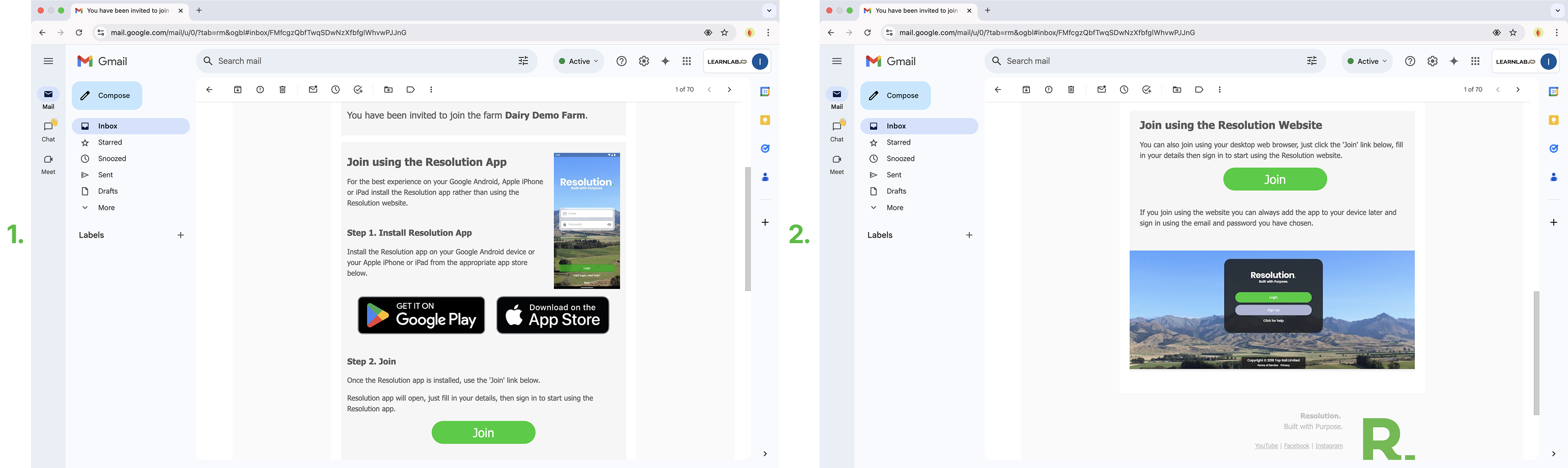
- After your user has been invited to join the farm. They will be sent a welcome email containing the details on how to create an account and join. It is important that the user clicks the link in the email, to follow the steps and get their account set up.
- Click here to see a tutorial on - Logging In as a New User
Best Practices
- Use correct first and last names for easy navigation within Resolution.
- Use the correct email address for the user as they will be sent an invitation to join the farm - this is the only way they can join and create an account.
- Learn the different farm permissions you can give new users by clicking - User Permissions