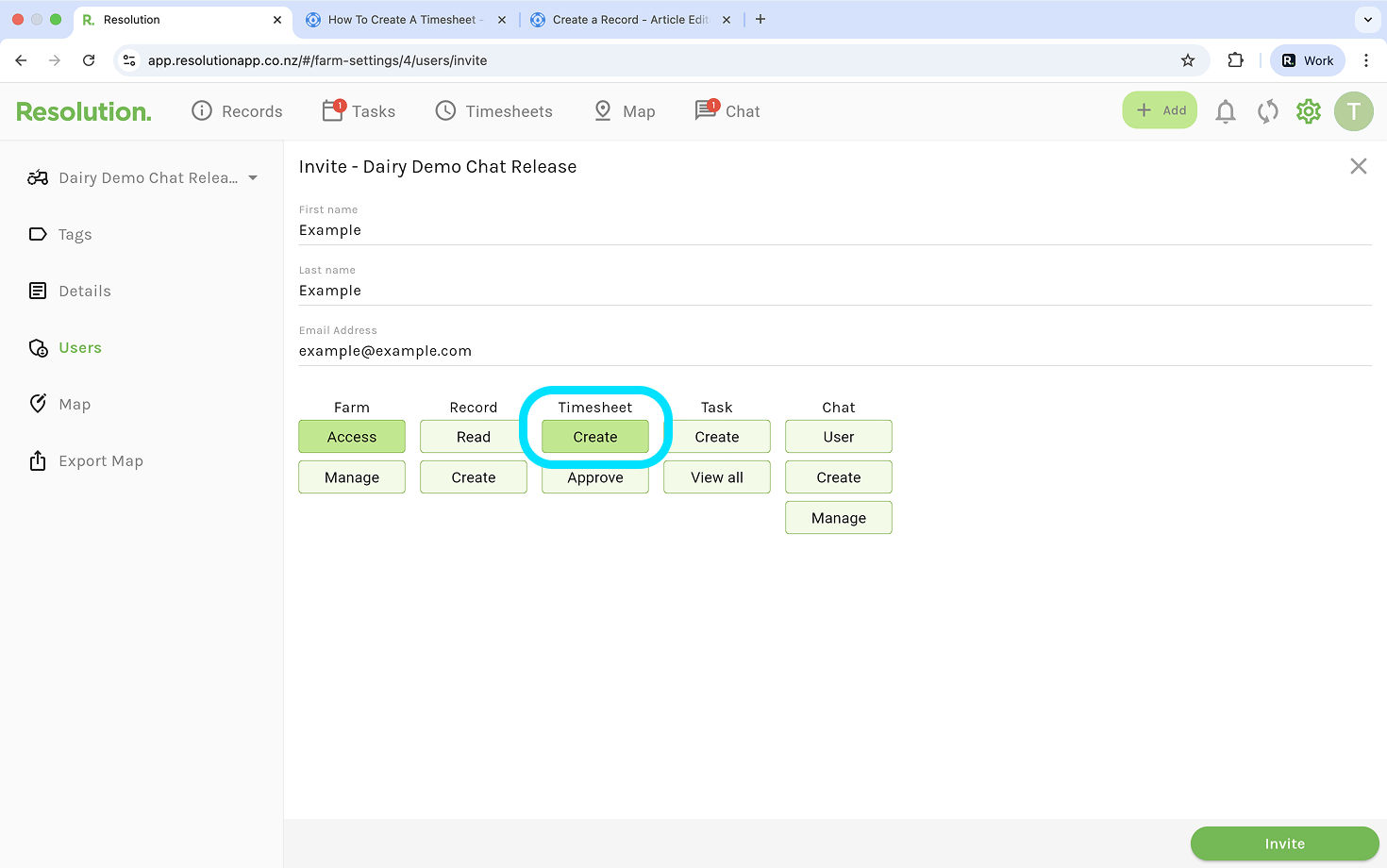
‘Create’ Timesheet Permission
- In order to create timesheets, a user first needs to have the ‘create’ timesheet permission enabled.
Steps to Create a Timesheet - Mobile
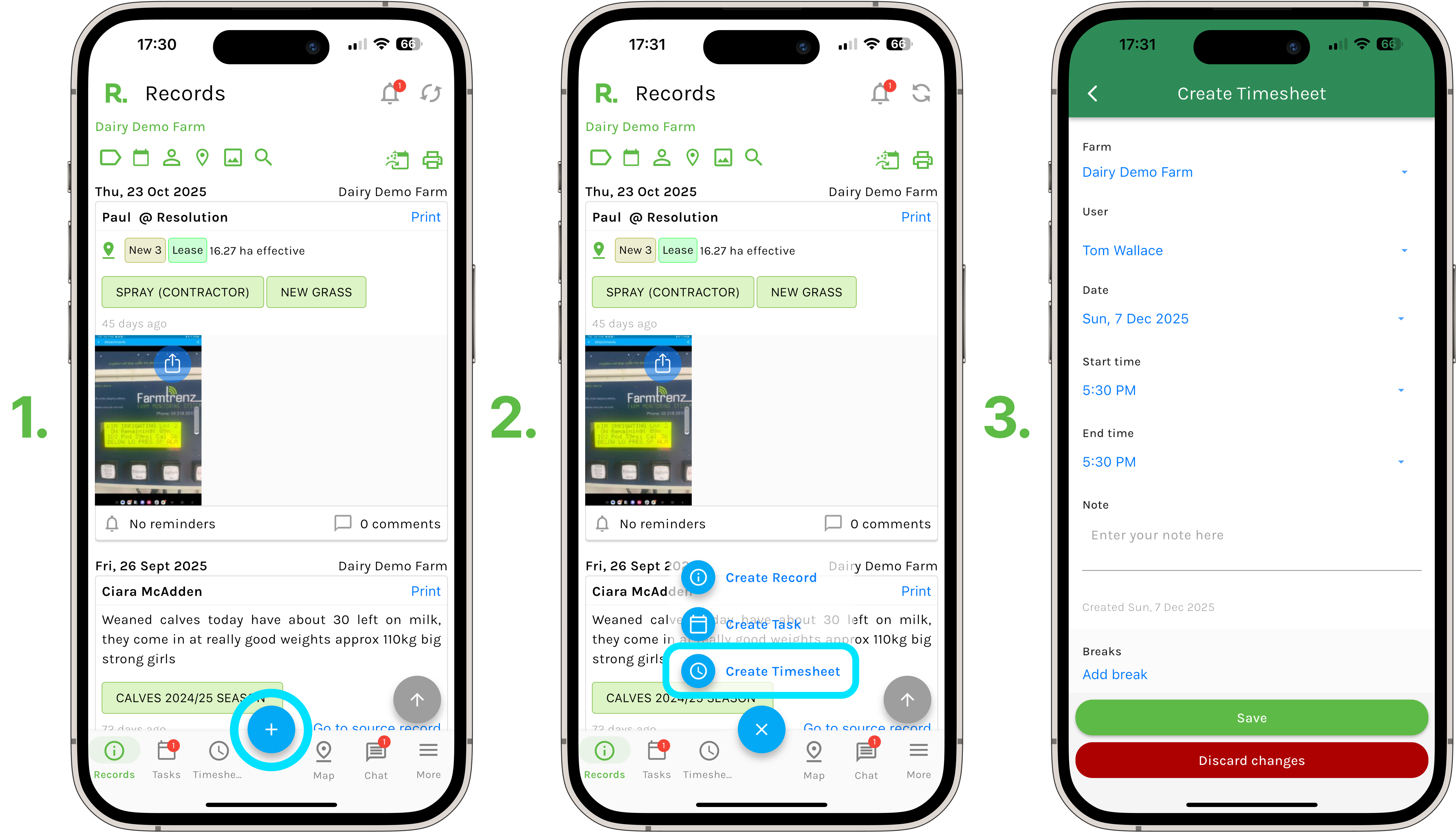
- Select the blue plus sign on your screen.
- Select ‘Create Timesheet’.
- Or - If you are on the timesheets page, press and hold the blue plus sign.
- Add information such as the date, your start and finish times, any notes to give context to your activities and any breaks you have taken.
- Select ‘Save’.
Steps to Create a Timesheet - Desktop
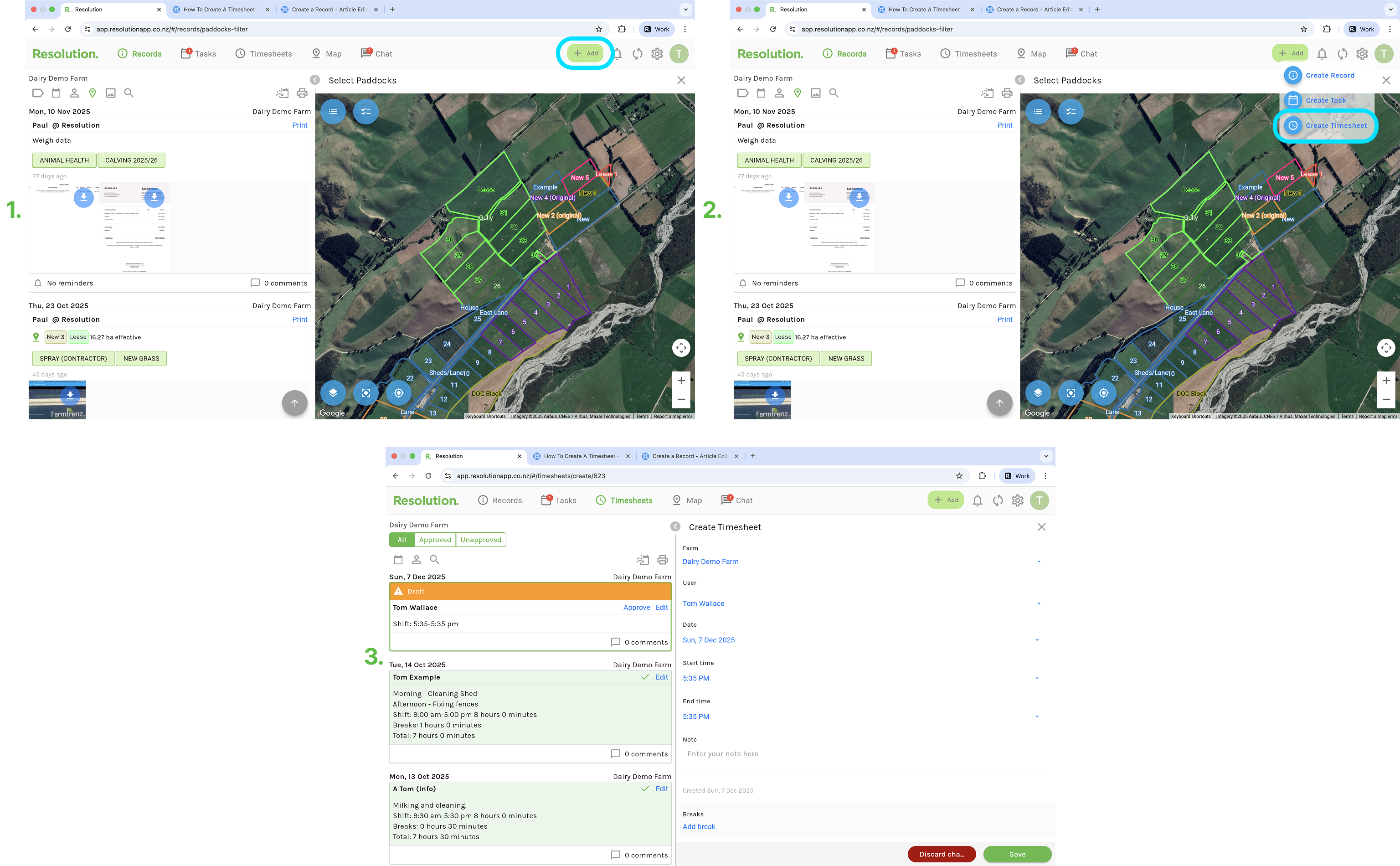
- Select the green “+ Add” on your screen.
- Select ‘Create Timesheet’.
- Add information such as the date, your start and finish times, any notes to give context to your activities and any breaks you have taken.
- Select ‘Save’.